Recording Work Hours Has Never Been Easier
Do you want to track the hours your teams work, with a general overview of time spent?
Does tracking leave and absences form part of your specifications?
Do you want to track working hours at the same time as project hours?
Do your employees need to compensate for hours beyond the weekly duration?
Annualized contract tracking?
Record meal allowances in the same portal as time entry?
What is Work Hour Tracking?
A time entry software is a portal composed of several HR modules for the administrative tracking of employee working time.
As a SAAS time tracking solution, JOUROFF offers an intuitive process that allows small and medium-sized enterprises (SMEs) to centralize working hours from an HR perspective, and to monitor activities.
Indeed, the time entry module is aimed at companies that have administrative management needs for leave and absences, but also needs in terms of activity management.
In this latter case, our time tracking system allows each company to feed an activity reference to ensure tracking of time by activity or project.
This intuitive approach allows time entry through a single entry point, the timesheet.
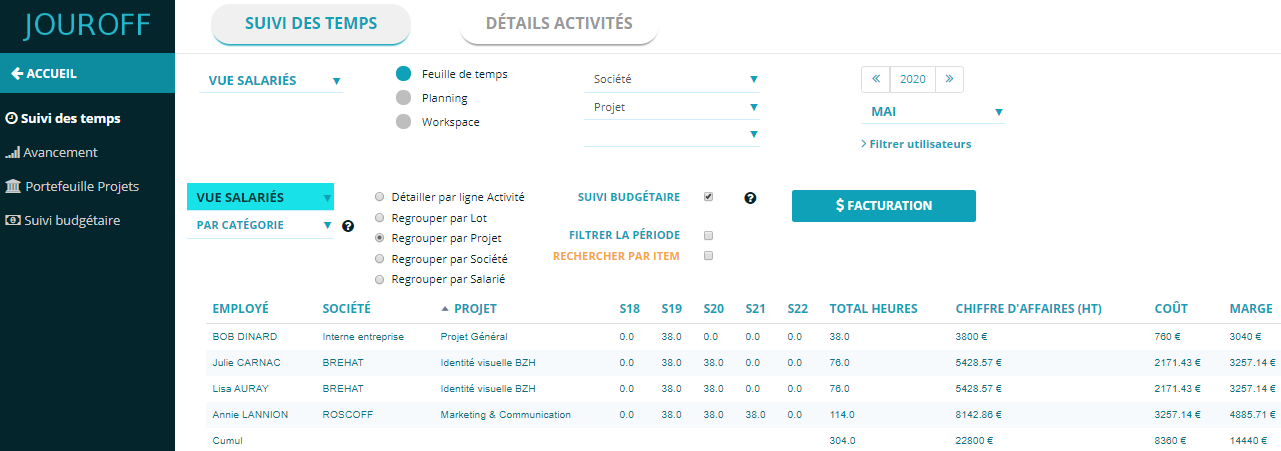
Our solution then provides a table tracking time spent by resource, whether by employee, project, or client.
Recording employee hours is thus simplified, while offering different use cases, such as project-based tracking or classic HR time reporting.
What is Employee Time Tracking?
The area we are concerned with here is time entry in the context of human resource management in companies.
Even if it may seem simple to someone new to the topic, it is important to note that time tracking can cover multiple aspects, as recording worked hours also includes project time, overtime accounting, or client billing.
For software providers, the same terms are highlighted, whether it’s task organization, project time planning, or hourly tracking for HR purposes.
Through this comparison, we will provide some advice and caution points to help you choose the best time tracking software for your needs.
Time Tracking – Which Scenario Applies to You?
Choosing the right tool can be tricky, but there is one thing you fully control: your ultimate goal.
Before choosing one time tracking tool or another, it is essential to list your needs, which are strongly linked to your activity.
There are some basic questions you should ask yourself before starting…
I-) Comparison of Tools: Time by Project or by Activity?
Tracking hours in a company is an essential component for compliance with labor law HR rules.
In this field, there are several approaches, and we will try to compare software based on business context.
If your need concerns time tracking by project, a time tracking software should be prioritized.
These types of tools allow combining HR time tracking with activity management.
In most cases, project-based time tracking involves defining project portfolios, each containing a list of tasks to be completed.
These are similar to assignments, also called project management by task, especially in engineering or consultancy firms.
Employees then fill out timesheets to report time spent on each project.
Such activities can also be carried out using ERP (Enterprise Resource Planning) tools, as well as tools like JIRA or Microsoft Project.
These tools focus on resource planning and business management.
In the realm of activity tracking tools, HRIS (Human Resource Information Systems) can also be mentioned.
In this context, it is important to distinguish between HRIS oriented toward administrative management and employee tracking (annual reviews, HR indicators, payroll management), even though more and more HRIS now include a time tracking module.
Among the needs that can be covered by project tracking tools are project progress indicators or tax credit tracking, as these tools can generate reports on time spent by activity or employee profile.
However, note that for SMEs, time tracking is generally limited to tracing contractual hours from an HR perspective.
II-) Tracking Hours Worked by Your Teams for HR Purposes
1) Does this concern leave and absence management?
In this case, it is recommended to use a dedicated Absence Management solution, which can take into account the specific cases of your collective agreement.
It is not uncommon to see requests regarding time tracking for purely leave and absence monitoring purposes.
2) Recording Overtime Hours
Some users assume that leave tracking tools implicitly handle overtime…
It is important to specify this in your specifications, as not all leave software offers this functionality.
Regarding overtime management, note that not all companies operate the same way.
In some cases, a simple process of compensatory days may suffice.
If this applies to you, you should look at leave HRIS tools, as most of these offer a “Recovery Day” option.
However, if actual overtime needs to be managed, it cannot be overlooked, as overtime is regulated by your collective agreement, and employees care about it!
Some companies may only require occasional reporting of overtime. In other words, employees record overtime when it occurs.
Some leave tracking tools offer an overtime declaration feature.
You must ensure that any applicable overtime premiums are applied based on declared hours, especially if stipulated in your collective agreement.
If you are unsure about overtime rules, you can involve your accountant in the HR software implementation project to ensure compliance.
Only then can you choose overtime software with the appropriate functionality.
Some companies include recovery hours as an integral part of their weekly organization.
In this case, it is recommended to use a specialized system for automating overtime tracking.
3) Tracking Attendance Hours
This question identifies two company profiles:
♦ Companies using badge systems to record employee clock-in and clock-out times
♦ Companies using timesheets and activity logs for time reporting
In the first case, a badge system should be used.
This is common in industrial companies, although some SMEs may also implement it.
In industrial settings, this often involves a physical badge at the site entrance, but some time tracking solutions offer virtual badges via mobile apps or tablets.
This can simplify clock-in and clock-out for employees who do not use dedicated PCs.
The downside of this approach is the lack of manager validation and limited activity time reporting.
Ultimately, it depends on your business sector, your ability to equip employees with mobile devices, and your needs for time and activity analysis.
In 80% of cases, the method used remains manual entry in timesheets on Friday evenings, via a time tracking tool.
4) Annualized Hours Tracking
Annualized hours tracking involves distributing work over 12 months, during which employees may have high or low workload weeks.
Weeks then balance out to ensure an average weekly duration of 35 hours over the period.
The goal is to organize the company schedule according to periods of more or less intense activity.
Annualized work is regulated by labor law and requires negotiation and company agreement.
From an HR software perspective, timesheets may suffice for small businesses, although some time tracking software offers dedicated tools for annualized work.
Is It Advantageous to Use a Free Tool?
For companies looking to implement a free tool to track working hours, JOUROFF offers a list of 100% free time tracking tools, with no prior registration required.
These free tools represent a real alternative to the premium version of time entry software.
Especially if you want to deploy a time clock software that does not require full automation of the time entry process.
Our hour addition table perfectly fulfills the role of employee attendance tracking.
It will not incur any installation or usage fees since access is unlimited over time, completely free.
Thanks to this time tracking tool, you will no longer need to enter hours in Excel.
You can easily enter daily hours, based on a weekly or monthly timesheet.
In terms of organization for employee time tracking, this solution is much more intuitive than using an Excel timesheet.
Indeed, filling out an Excel time clock file can quickly show its limitations as the number of employees increases.
Methodology to Choose the Best SaaS Time Tracking Solution
Time tracking in a company is both a simple and complex topic, as each business expects different things.
For your convenience and to ensure the selection of the best tool for your needs, it is important to develop a specifications document containing a list of the expected Excel file templates or formats.
This specifications document can then be submitted to the software vendors identified during the study phase.
Regarding file formats, these may be Excel files you already use or Excel templates for time tracking to be created for the study.
In terms of HR time tracking, these files can include:
Excel timesheet templates that employees are expected to fill out (you can use an image template found online)
It is also important to specify whether your organizational process involves task planning in advance. If so, a planning template should be provided.
Finally, the type of monthly summary to be extracted for the Manager must be defined. This export template depends on the purpose of the time tracking process: is it for HR time monitoring? for project time tracking? etc.
Applications of Time Entry
Our SaaS tool can be adapted to your needs.
If your project aims to automate HR time planning, you only need to set the appropriate parameters.
Similarly, our time and activity entry portal can be adapted for the following cases:
Time entry and priority tracking for project-based time summaries
Time entry module to record hours spent on various company activities
Online solution to track time spent synchronized with leave or paid time off
Time tracking platform to account for RTT days, sick leave, etc.
Time entry software to track overtime and its premiums.
For example: from 35h to 43h, 25% premium, beyond 43h, 50% premium
Time entry to track timesheets throughout the year for work hour modulation
Planning and time entry for tracking annualized employees
Managing a time counter based on weekly contractual hours. For example: 35h or 39h weekly employee contract
Company time entry to monitor billable hours on projects (time-based billing)
Cost tracking per employee or project budget tracking. This time tracking area concerns accountants, financial managers (CFOs), or controllers to index time spent to labor costs
HR portal for managing internal company projects
If an open-source time tracking software is not available, our solution offers a free trial space to better visualize the software.
Indeed, companies looking for a time clock tool perform a benchmark or comparison to identify the best time tracking system.
Before prioritizing an open-source or freemium time entry tool, we offer you a free online demo version right now.
Features of the HRIS Time Entry Module
HR Settings
Application Domain
This parameter allows management of overtime as well as the weekly hour counting.
Each employee fills out their timesheets online, and then the time tracking tool calculates the hours based on the weekly contractual hours and the overtime threshold defined below.
Automatic calculation of overtime and premium hours.
Example of hourly calculations for a 35-hour weekly contract:
1) Hours reported: 39 hours
Regular overtime Threshold-1 = 39 hours – 35 hours = 4 h
Premium overtime = 4 hours * 25% = 1 h
Total overtime = 4 hours + 1 h = 5 h
2) Hours reported: 45 hours
Overtime Threshold-1 = 43 hours – 35 hours = 8 h
Overtime Threshold-2 = 45 hours – 43 hours = 2 h
Total regular overtime = 10 h
Premium overtime = (8 hours * 25%) + (2 hours * 50%) = 2 h + 1 h = 3 h
Total overtime = 10 hours + 3 h = 13 h
Certain collective agreements consider Sunday as a specific working hour. In this context, this parameter allows automatic calculation of hours worked on Sunday.
The HR time tracking portal offers a “forfait-jours” module.
The parameter “number of days worked per year” allows tracking employees on forfait-jours contracts.
In this context, the SaaS tool tracks both the total annual days worked and the number of paid leave days and RTT absences covered by the forfait-jours.
Example: Annual days = 216, paid leave quota = 30 working days, RTT = 11 days.